
Supports Serial Ports (RS232/422/485), TCP Client & Server, SSL Client & Server, SSH and UDP. An application for testing data exchange with advanced features. Similar to some others, but written by a programmer for programmers.
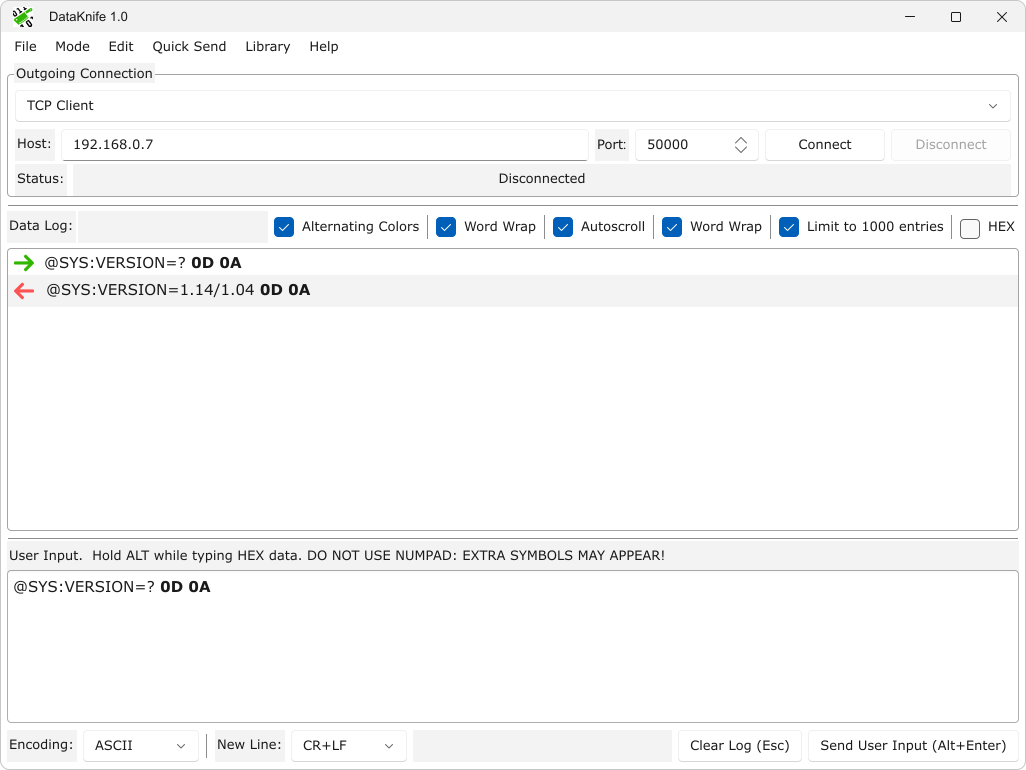
Main Features
- Supports Serial Ports, TCP Client, TCP Server, SSL Client, SSL Server, UDP Two-way connections and experimentally SSH Command Mode / Terminal Mode
- Has a special font for displaying HEX data and allows you to conveniently enter HEX data
- Knows several encodings: ASCII, Windows-1251, UTF-8, UTF-16
- Allows you to select several options for the end of the line from None to CR+LF
- Knows hot keys
- Allows you to prepare, save, load and use several quick send commands: see the Quick Send and Library menus
- Experimentally supports Double Connection mode for any pair of protocols
Unique custom font for bytes manipulations
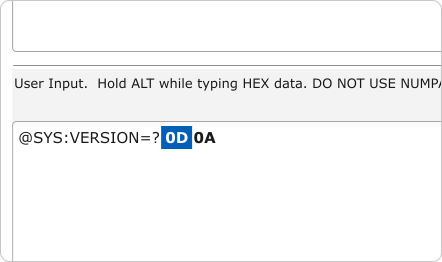
Each hexadecimal byte from 00 to FF has its own glyph in the font. Navigate them freely including cursor keys, selection and copy / paste operations
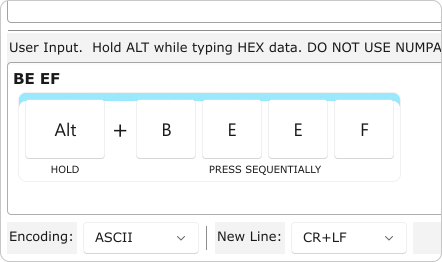
Enter hexadedimal data while holding Alt key. Do not use numpad: extra symbols may appear (Windows feature for direct charcode insertion)
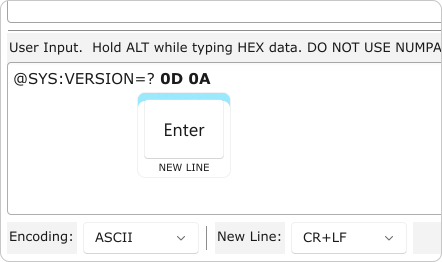
Add new line bytes by pressing Enter key. Desired new line format should be selected in New Line dropdown list
Quick Send Dock & Library
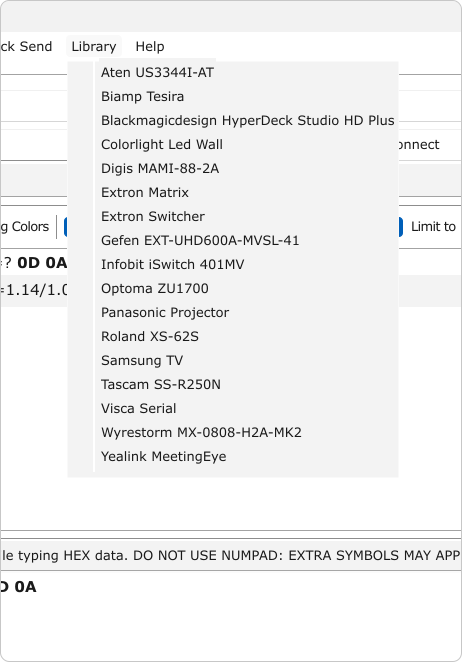
Explore built-in library for testing some devices. Send your files to author’s channel (Help > Telegram)
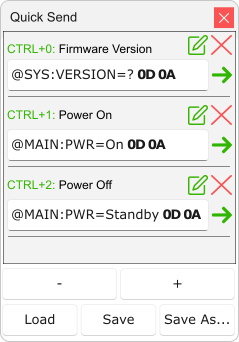
Manipulate with Quick Send dock: show, hide or even undock it!
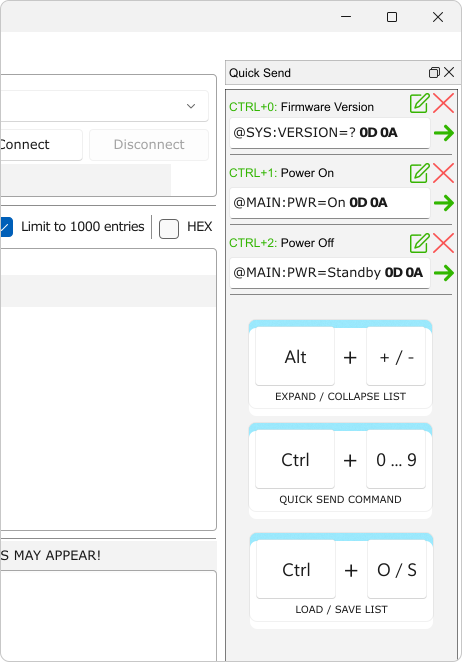
Create your own library of commands for frequently used devices
Double Connection (Experimental)
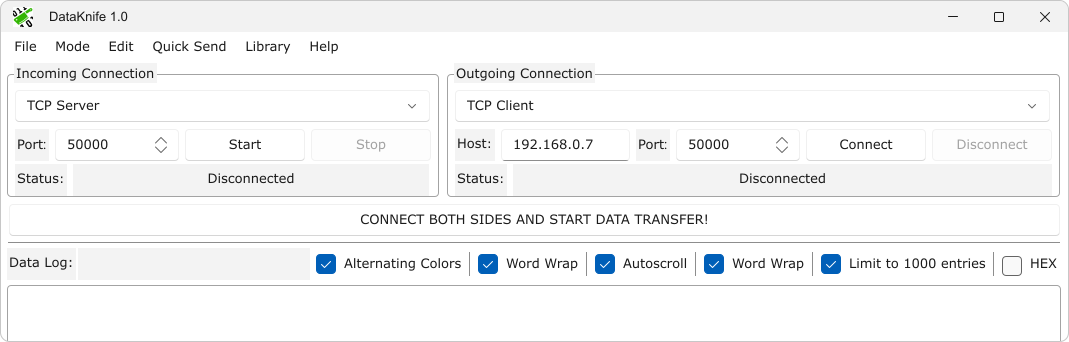
Check how your controller communicates with the real device in realtime. Send additional commands to outgoing connection for additional flexibility. This is experimental feature
Hotkeys
● F1 – open help file;
● ESC – clear Data Log;
● ALT-0-0 … ALT-F-F (hold Alt while typing hexadecimal symbols) – enter byte from 00 до FF in current position;
● ALT-ENTER – send user input;
● CTRL-0 … CTRL-9 – send quick command from Quick Send dock;
● ALT-“+” – expand Quick Send (adds another item at the end);
● ALT-“-” – colapse Quick Send (removes last item);
● CTRL-O – load Quick Send content from file;
● CTRL-S – save Quick Send content to file;
● CTRL-C – copy selected fragment to clipboard, all byte-symbols will be copied as “\x00” … “\xFF” text;
● CTRL-V – paste from clipboard to cursor position or replace selected fragment, text entries like “\r”, “\n”, “\x00” … “\FF” will be converted to byte-symbols;
● CTRL-SHIFT-C – copy selected fragment to clipboard as hexadecimal string, choose output format in dialog window;
● CTRL-SHIFT-V – paste hex data from clipboard string to cursor position or replace selected fragment, byte-symbols will be inserted.
Download
Click do download DataKnife-1.1-win32 (latest version)
Click do download DataKnife-1.0-win32 (previous version)
Further wishes and questions
Go to Help > Telegram to join Telegram group for further discussion